Round 02 Themes
Oct. 1st, 2025 02:39 pm![[personal profile]](https://www.dreamwidth.org/img/silk/identity/user.png) chocolatefrogs posting in
chocolatefrogs posting in ![[community profile]](https://www.dreamwidth.org/img/silk/identity/community.png) ships20in20
ships20in20
Info
• You must be a member and have signed up for this round to participate.
• All icons must be newly made for this round. Do not use previously made icons.
• You are allowed to use pictures containing nudity and graphics imagery. Just keep those behind you're Cut tag with a warning out of the cut.
• If you would like a participation banner make sure you wrote it outside cuts/links.
• Please do not post your icon set to Photobucket or tinypic, use other free image hosting sites at this time while that site is going through what it is doing. Chances are your images will not show at all if you do. I do however recommend: Cloudinary (similar to photobucket), Imgur, Imgbb & any others you can think of that work well.
Posting
• Post only once your set is completed. Do not submit your icons to this post, instead make a post of your own using the guidelines below.
• Your icons must fit DW standards and be made specifically for this round. 100x100px and either .png, .gif or .jpg file format.
• Provide three (3) teaser icons and hide the rest behind an cut, or provide a link to your icons should you post them elsewhere. If posting to an outside source your icons should be made public for the duration of the round.
• Please, if you participate try to at least check out the other participants entries. It's another reason why we have an unlocked rule. You would want people to check out yours and vice versa, it's only fair.
• Fan art is not accepted; use caution when choosing images. DO NOT USE BEHIND THE SCENES PHOTOS, unless the theme calls for it. You may however use Episode Still, posters and Promos. Animation is NOT allowed, unless otherwise stated for a certain prompt.
• Use the table provided or use your own if you'd like, but keep the themes in order.
• Posting is moderated; once your post is submitted please await approval. If your post hasn’t been approved within 48 hours please contact me or comment to this post.
• PLEASE, DO NOT ADD TAGS TO YOUR ENTRIES. A MOD WILL DO THAT.
• Please add the following subject, just add your username. FORMAT AS: Round 02 - Your Claim - Your Username.
As always thank you for the suggestions, I used some for this round.
Themes
Complete 10 themes, 5 category, and 5 artist choice icons.
Individual themes:
| Autumn Colors | Painted Details | Background Texture | Laughter | Tiny Borders |
| Rotations | Grainy Filter | Recoloring | Uneven Block Lines | Hope |
EXAMPLES
Autumn Colors - Simple one. Your overall coloring of the icon must be in Autumn colors. According to google: Autumn colors are the shades of yellow, orange, red, purple, and brown that deciduous trees and shrubs take on during the autumn season. This natural process creates a vibrant display, often described as warm, earthy, and rich, with characteristic hues such as golden yellow, deep orange, rusty red, and rich brown. Warm Autumn's best colors are usually warm greens, yellows, orangey reds, very peachy (yellowed) pinks and every shade of golden brown from warm chocolate tones through to light tan.


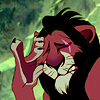
vanessa_lj • lady_turner • quixotic
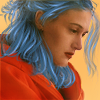
Painted Details - Try your hand at hand-painting some details. This can create VERY cool results, but don't be intimidated by the examples here, a few painted hair strands will do just fine!
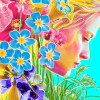
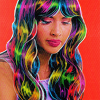
longerthanwedo • supernova • lady_turner
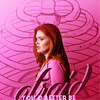
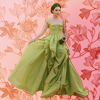
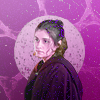
Background Texture - A classic composition style: use a texture as the new background for your cut out subject.
naive_astronaut • lady_turner • magicrubbish
Laughter - Icon your claim laughing.
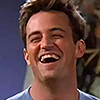
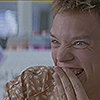
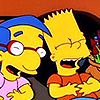
chocolatefrogs • chocolatefrogs • chocolatefrogs
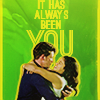
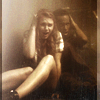
Tiny Borders - Frame your icon with at least one border that is only a few pixels thick.
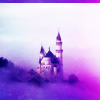
ellaangelus • shameless666 • second_love
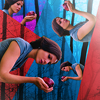
Rotations - This icon needs to have images in at least two different angles.


nightbulbs • orangelusik • damsiedam
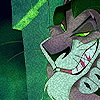
Grainy Filter - Something like this, in any color.
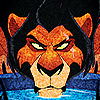
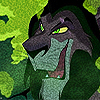
chocolatefrogs • chocolatefrogs • chocolatefrogs
Recoloring - Get rid of all the natural colors in your image, e.g. by turning it black and white, and paint new colors all over your icon. The result doesn't have to look natural - the point of this technique is often to get a posteresque, vintage look!


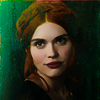
starkwars • lemonzter • applepips16
Uneven Block Lines - Use blocking, but not with the usual clean, sharp lines - the block lines here need to be a bit messy and irregular.
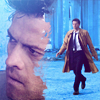
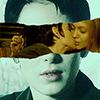
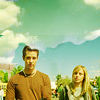
starkwars • jellybeansraw • pandavirus
Hope - Another simple one! As always, open to you're own views on this.


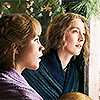
chocolatefrogs • chocolatefrogs • chocolatefrogs
Category Set - Halloween - It's the month of October, which mean's Halloween month! My favorite time and month of the year! So therefore, let's have fun with our claims and decorate Halloween/spooky style. You cn be inspired by the colors, horror movies, decorations or whatever you wish. Be creative and have fun! Animation is allowed in these.
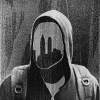
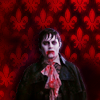
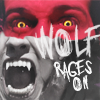
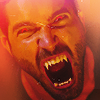
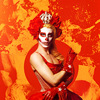
jsfunction • daisyinthewood • wellhalesbells • gallicka • naive_astronaut
Artist’s Choice: Your choice so long as it abides by the rules!
TABLE:
If there are any mistakes anywhere, please do not hesitate to let me know. Enjoy the round, can't wait to see everyone's sets. :)


Questions, Commments, Concerns....
Date: 2025-10-05 05:45 am (UTC)